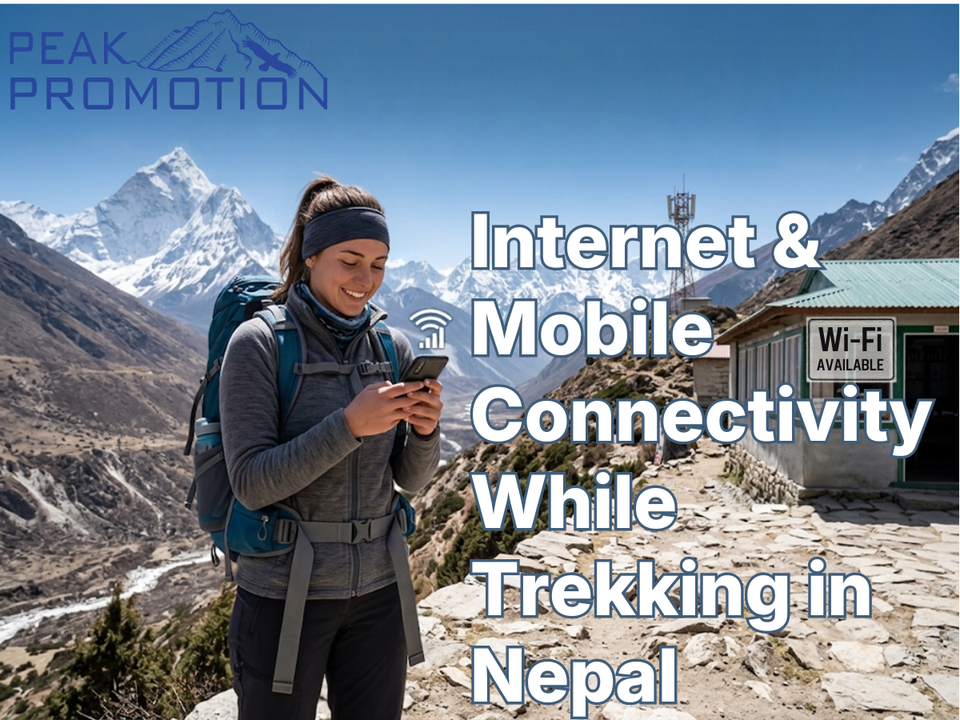
Internet and Mobile Connectivity While Trekking in Nepal
For many travelers, trekking in Nepal means leaving behind busy cities and entering remote Himalayan landscapes. But going into the mountains does not necessarily mean going completely offline.
Mobile networks, Wi-Fi services, local SIM cards, eSIMs and satellite-based communication have made it increasingly possible to stay connected while trekking in Nepal. However, connectivity varies significantly depending on the route, elevation, weather, infrastructure and location.
On popular trekking routes such as the Everest Base Camp, Annapurna and Langtang regions, trekkers can often access mobile networks or Wi-Fi in many settlements. In more remote areas, however, connectivity may become weak, intermittent or unavailable.
This makes one question particularly important before your trek:
How connected will you actually be in the mountains?
The answer depends on where you are going.
This guide explains everything trekkers should know about internet and mobile connectivity while trekking in Nepal, including SIM cards, eSIMs, mobile data, Wi-Fi, network coverage, popular trekking routes, costs, charging, emergency communication and practical tips for staying connected.
Is There Internet While Trekking in Nepal?
Yes, internet access is available on many trekking routes in Nepal, but it should not be compared with the connectivity you would expect in Kathmandu or other major cities.
On popular trekking routes, internet access may be available through:
- Mobile data
- Lodge Wi-Fi
- Teahouse Wi-Fi
- Local SIM cards
- eSIMs
- Community or area-specific communication services
- Satellite communication in specific circumstances
The quality of service varies considerably.
You may experience:
Good connection → slow connection → intermittent connection → no connection
sometimes within the same day.
This is especially common as you move away from settlements and climb to higher elevations.
Therefore, trekkers should treat internet access as a useful convenience rather than something guaranteed throughout the journey.
What Mobile Networks Are Available in Nepal?
The two major mobile operators most relevant to trekkers are:
- Nepal Telecom (NTC)
- Ncell
Both provide mobile voice and data services, but coverage can vary depending on the specific trekking route and location.
For trekking purposes, the most important consideration is not simply which provider has the fastest urban internet.
It is:
Which network works best along your particular route?
A network that works well in Kathmandu may not provide the same experience in a remote Himalayan village.
▸ Nepal Telecom for Trekking
Nepal Telecom (NTC) is Nepal's state-owned telecommunications provider and has extensive infrastructure across the country.
For trekkers, NTC can be useful because its network extends into many rural and mountainous areas.
Depending on the route and location, trekkers may use NTC for:
- Mobile calls
- SMS
- Mobile data
- Navigation assistance
- Messaging applications
- Emergency communication
Coverage should still be checked against your planned route rather than assumed.
▸ Ncell for Trekking
Ncell is another major mobile operator in Nepal and provides voice and mobile data services across many parts of the country.
Ncell can be convenient for travelers who want:
- Local mobile data
- Calls
- Messaging
- Internet access
- A local Nepalese number
However, mountain connectivity varies by location, so travelers should check current route-specific coverage before depending entirely on one provider.
Which SIM Card Is Better for Trekking?
There is no universal answer.
For trekking, the best SIM depends on:
- Your route
- Trekking region
- Current network coverage
- Data requirements
- Duration of your stay
- Phone compatibility
- Whether you need calls or primarily internet
If staying connected is important, some trekkers choose to carry more than one network option.
For example:
Primary SIM + secondary SIM/eSIM
can provide additional flexibility where supported by your phone.
However, having two SIM cards does not guarantee coverage. If neither network has service in a particular location, both will be unavailable.
Can Tourists Buy a SIM Card in Nepal?
Yes.
International visitors can generally purchase a local Nepalese SIM after meeting the required registration and identification requirements.
A passport is commonly required for tourist SIM registration.
You can purchase SIM cards through authorized operator outlets and other approved channels.
Before purchasing, confirm:
- SIM registration requirements
- Passport requirements
- Available data packages
- Validity period
- Recharge options
- Current pricing
- Network coverage along your route
Telecommunications packages and prices can change, so checking the operator's current information before your trek is recommended.
What About eSIMs in Nepal?
eSIMs can be convenient for travelers with compatible phones.
Instead of physically replacing your SIM card, an eSIM can allow you to activate a mobile plan digitally.
The main advantages include:
- No physical SIM replacement
- Easy setup before or after arrival
- Ability to retain your home SIM in compatible dual-SIM phones
- Convenient data access
- Useful for travelers who need connectivity immediately
However, travelers should check whether the specific eSIM provider uses a network that provides adequate coverage for their trekking route.
An eSIM advertised as working in Nepal does not automatically mean it will work at Everest Base Camp or on remote Himalayan trails.
How Good Is Internet on the Everest Base Camp Trek?
The Everest Base Camp route is one of Nepal's most developed trekking corridors, but connectivity still varies significantly.
Popular settlements such as Namche Bazaar generally offer more communication options than remote sections of the trail.
As you move toward higher elevations and more remote areas, service can become less reliable.
Trekkers may encounter:
- Mobile network signals
- Lodge Wi-Fi
- Paid internet services
- Intermittent data
- No signal in certain areas
Even where Wi-Fi is available, speeds may be slower than what you are accustomed to at home.
Peak Promotion's Everest Base Camp Trek reaches approximately 5,364 metres, meaning connectivity should not be expected to remain consistent throughout the route. (peakpromotionnepal.com)
▸ Internet at Everest Base Camp
Internet access around Everest Base Camp should be treated as limited and variable.
The Base Camp environment is significantly different from Namche Bazaar or Kathmandu.
Depending on the season, location and available infrastructure, communication options may include:
- Mobile network
- Wi-Fi-based services
- Satellite-supported communication
- Expedition communication systems
But trekkers should never plan their safety around having a reliable internet connection at Base Camp.
If you need to communicate with family, transfer important files or complete online work, it is better to take advantage of stronger connections at lower settlements.
▸ Internet on the Annapurna Circuit
The Annapurna region includes many settlements with telecommunications infrastructure.
Because the Annapurna trekking network passes through numerous villages, trekkers can often find mobile service and Wi-Fi at different points along the route.
However, coverage varies depending on:
- Valley
- Elevation
- Weather
- Distance from settlements
- Local infrastructure
Remote sections and high passes can have weaker connectivity.
If you are planning the Annapurna Circuit, download important maps and information before reaching the most remote portions of the route.
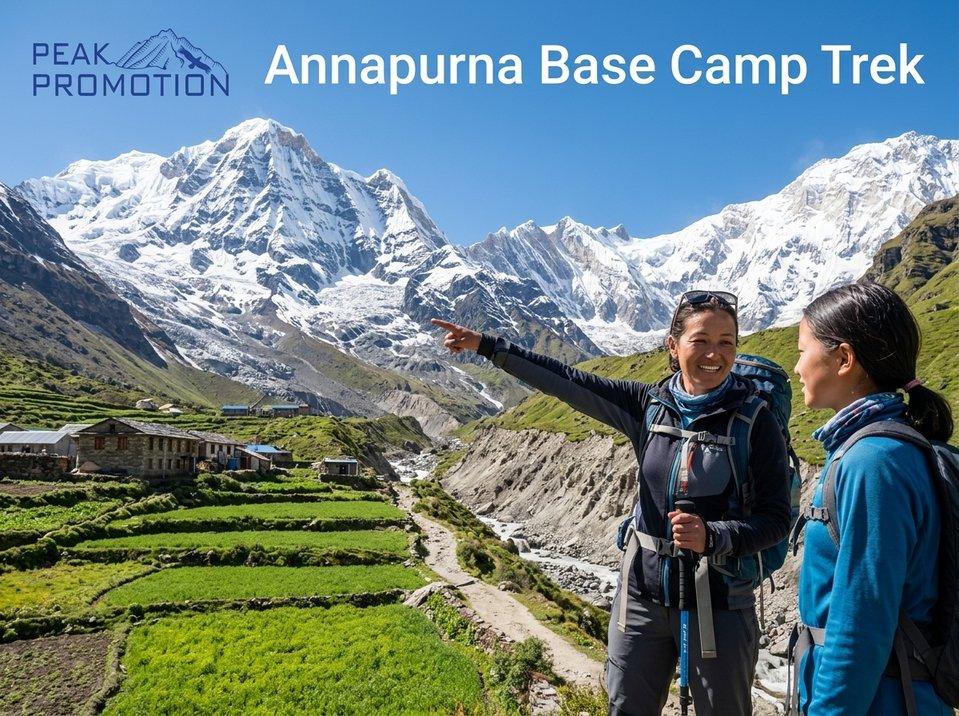
▸ Internet on the Annapurna Base Camp Trek
The Annapurna Base Camp route passes through numerous villages and teahouse communities.
Connectivity may therefore be available at several points along the trail.
However, the quality of internet access can change from one village to another.
Do not assume that because your phone had a strong signal yesterday, you will have the same signal today.
▸ Internet on the Langtang Trek
The Langtang Valley is relatively accessible compared with some remote Himalayan trekking regions, but mobile connectivity remains location-dependent.
Settlements along the trail may have mobile service or Wi-Fi, while more isolated sections can experience limited connectivity.
Trekkers should prepare for periods without data.
Wi-Fi in Nepal's Teahouses
Wi-Fi has become increasingly common in trekking lodges and teahouses on popular routes.
You may find Wi-Fi available in:
- Lodges
- Restaurants
- Teahouses
- Guesthouses
- Village centers
However, there are several things to understand.
▸ Wi-Fi May Cost Extra
Unlike many hotels in Kathmandu, trekking lodges may charge separately for Wi-Fi.
The price varies by location and lodge.
Higher-altitude locations may charge more because providing connectivity becomes more difficult.
▸ Wi-Fi Speed Can Be Limited
Mountain Wi-Fi is not necessarily designed for:
- Large downloads
- Video conferencing
- High-resolution streaming
- Cloud backups
- Heavy file transfers
It may be perfectly adequate for:
- Messenger
- Text messages
- Basic browsing
- Social media updates
Why Is Mountain Internet Slower?
Internet infrastructure in the Himalayas faces several challenges.
These include:
- Difficult terrain
- Extreme weather
- Limited electricity
- Remote infrastructure
- Limited fiber connections
- Reliance on wireless or satellite systems
- High maintenance costs
- Seasonal accessibility
This means internet performance can vary even within the same village.
A connection that works well in the morning may become slow later in the day because of weather, network demand or infrastructure limitations.
Can You Make Phone Calls While Trekking?
Yes, in areas with mobile coverage.
Local SIM cards can provide voice services, depending on the network and location.
You may also make internet-based calls through:
- Messenger
- Viber
- FaceTime
- Other messaging platforms
However, internet calls depend on having a usable data or Wi-Fi connection.
If the network disappears, internet-based calling disappears with it.
For important communication, having access to ordinary mobile calling can therefore be useful.
Can You Use WhatsApp While Trekking in Nepal?
Yes.
WhatsApp and other messaging applications can work wherever you have sufficient internet connectivity.
Trekkers commonly use messaging applications to:
- Contact family
- Send photographs
- Communicate with guides
- Coordinate meeting points
- Share itinerary updates
- Contact hotels
- Send emergency information where networks permit
But remember:
An app cannot create a network where none exists.
If your phone shows no service and there is no Wi-Fi, WhatsApp will not work.
Can You Work Remotely While Trekking?
Technically, sometimes.
Practically, it depends on the trek.
If your work involves:
- Emails
- Text-based communication
- Light document editing
- Occasional messaging
you may be able to work from selected trekking villages.
However, trekking is not the ideal environment for reliable remote work.
Video meetings, large uploads, cloud backups and other bandwidth-heavy activities can be difficult.
If you need to work while trekking, plan your important tasks around locations with stronger connectivity.
For example:
Do important work in Kathmandu or major trekking hubs → use mountain internet for essential communication only.
Can You Make Video Calls From the Mountains?
Sometimes, but don't depend on it.
Video calls require considerably more stable bandwidth than text messaging.
You may find that:
- The call connects but frequently freezes.
- Audio works but video does not.
- The connection drops unexpectedly.
- Upload speeds are too slow.
- Wi-Fi becomes unstable.
If you have an important meeting, try to complete it from Kathmandu, Pokhara or a major trekking settlement with dependable connectivity.
Is There Mobile Signal at Everest Base Camp?
Connectivity at Everest Base Camp can vary.
The presence and quality of service can depend on the season, operator, infrastructure and exact location.
Trekkers should therefore avoid planning their expedition around continuous mobile coverage.
For expeditions, professional teams may have additional communication systems that provide more reliable operational communication than ordinary tourist mobile service.
This is particularly important because emergency communication should never depend exclusively on a normal smartphone connection.
What Happens When You Lose Signal?
Losing mobile service is a normal possibility during Himalayan trekking.
Instead of treating it as an emergency, prepare for it.
Before leaving a connected settlement:
- Download offline maps.
- Save accommodation details.
- Save your next destination.
- Inform family of your planned route.
- Download important documents.
- Screenshot useful information.
- Check the weather if possible.
- Charge your phone.
- Carry a power bank.
Then you can continue trekking without needing continuous connectivity.
Download Offline Maps Before Your Trek
One of the most useful things you can do before entering a remote area is download maps for offline use.
Depending on the app you use, offline maps can help you:
- Understand the route
- Locate villages
- Check your approximate position
- Identify major landmarks
- Navigate when mobile data disappears
Do not rely exclusively on Google Maps or any single navigation app.
For trekking, route-specific offline maps and guidance from experienced local staff are valuable.
Download Important Documents
Before leaving Kathmandu or a major connected settlement, keep offline copies of:
- Passport
- Visa
- Travel insurance
- Trekking permits
- TIMS documentation
- Flight information
- Accommodation bookings
- Trek itinerary
- Emergency contacts
- Operator contact details
Save them locally on your phone and consider keeping printed copies of critical documents.
How to Keep Your Phone Charged?
Connectivity is useless if your phone battery is dead.
Battery management becomes especially important in cold environments.
Cold temperatures can reduce battery performance, while frequent photography, GPS use and searching for mobile signals can drain a phone quickly.
Practical Tips
Carry a power bank.
A high-capacity power bank can be extremely useful.
Keep your phone warm.
Store it inside an inner jacket pocket rather than leaving it exposed to freezing conditions.
Use airplane mode when there is no signal.
A phone constantly searching for a network can consume considerable battery power.
Reduce screen brightness.
This can extend battery life.
Turn off unnecessary background apps.
Especially those using location or mobile data.
Charging Facilities on Trekking Routes
Charging facilities are available at many lodges and teahouses on popular trekking routes.
However, charging may:
- Cost extra
- Be limited during power shortages
- Take longer
- Be unavailable in more remote locations
As elevation and remoteness increase, charging options can become less convenient.
Therefore, a power bank is a useful part of your trekking equipment.
For longer or remote treks, consider carrying appropriate backup charging equipment based on the route and your power requirements.
Should You Bring a Solar Charger?
A solar charger can be useful in some circumstances, particularly for long or remote journeys.
However, it is not automatically necessary for every trek.
For a standard tea-house trek, a good power bank may be simpler and more practical.
A solar charger becomes more attractive when:
- You are trekking for a long period.
- You spend many nights away from established lodges.
- You are camping.
- You have multiple electronic devices.
- You cannot reliably access charging facilities.
What About Satellite Communication?
Satellite-based communication is an important option for serious expeditions and remote trekking.
Depending on the expedition and equipment, satellite systems can support:
- Emergency communication
- Weather information
- Location tracking
- Expedition coordination
- Voice communication
- Data communication
Professional mountaineering expeditions may use dedicated communication equipment because ordinary mobile networks cannot be relied upon in remote or high-altitude environments.
For standard tea-house treks, you may not need dedicated satellite equipment, but your trekking agency should have an appropriate emergency communication and rescue plan.
Internet vs Emergency Communication
These are two different things.
Internet access is a convenience.
Emergency communication is a safety requirement.
A trekker might have:
No Instagram → inconvenient.
But:
No emergency communication → potentially dangerous.
Before your trek, ask your trekking company:
- How is the guide contacted?
- What happens during a medical emergency?
- Is there a communication system at Base Camp?
- How is rescue coordinated?
- Is satellite communication available when required?
- What happens if mobile networks fail?
A reputable trekking operator should have a clear emergency procedure.
Connectivity on Popular Nepal Trekking Routes
Here is a simplified overview:
| Trekking Region | Connectivity Expectation |
| Everest Base Camp | Mobile/Wi-Fi available in many settlements; variable at higher elevations |
| Gokyo Valley | Connectivity available in some settlements; increasingly limited in remote/high sections |
| Three Passes | More limited; prepare for offline navigation |
| Annapurna Circuit | Generally available in many villages, but variable in remote sections |
| Annapurna Base Camp | Mobile/Wi-Fi available at several settlements; varies by location |
| Langtang Valley | Connectivity in some villages; intermittent in remote sections |
| Manaslu Circuit | More variable; remote sections require offline preparation |
| Upper Mustang | Connectivity varies considerably by settlement and infrastructure |
| Remote restricted areas | Expect significantly less reliable connectivity |
These are broad expectations rather than guarantees.
Mountain infrastructure changes, and network availability can differ between seasons and even between nearby locations.
Should You Carry Two SIM Cards?
If connectivity is particularly important to you, carrying two network options can be useful if your phone supports dual SIM.
A possible setup is:
SIM 1: Your primary Nepal network
SIM 2: Secondary network/eSIM
The advantage is flexibility.
If one network has no service in a particular location, the other may work.
However, this should be considered a backup—not a guarantee.
What Should International Trekkers Do Before Arriving?
Before flying to Nepal, prepare your phone.
▸ Check Your Phone
Make sure your phone:
- Is unlocked
- Supports the required network bands
- Supports eSIM if you plan to use one
- Has enough storage
- Has a functioning charging cable
- Has a compatible power adapter
▸ Install Useful Apps
Consider installing:
- Messaging apps
- Offline map applications
- Weather apps
- Translation apps
- Currency tools
- Airline apps
- Your travel insurance app
- Emergency contact information
▸ Download Offline Information
Do this before you leave reliable internet access.
Download:
- Maps
- Trekking route information
- Accommodation information
- Travel documents
- Emergency contacts
- Important emails
- Tickets
How Much Data Do You Need?
For most trekkers, you do not need an enormous mobile-data package.
Light use such as:
- Messaging
- Navigation
- Weather checks
- Occasional social media
uses relatively little data compared with:
- Video streaming
- Video calls
- Large file uploads
- Cloud backups
- High-resolution video
If you are taking lots of photographs and videos, disable automatic cloud backups when using mobile data.
Otherwise, your phone can consume data surprisingly quickly.
Social Media While Trekking
One of the enjoyable parts of trekking is sharing the journey.
You may want to upload:
- Mountain photographs
- Short videos
- Stories
- Trekking updates
- Reels
The best strategy is to upload when you reach a location with stronger connectivity.
Don't spend your entire trekking day searching for a signal.
Sometimes the best part of being in the Himalayas is simply putting the phone away.
Should You Disconnect Completely?
Not necessarily.
Staying connected can be useful for:
- Family communication
- Travel updates
- Weather information
- Navigation
- Emergency communication
- Work
- Sharing your experience
But trekking also provides a rare opportunity to reduce digital distractions.
A good balance might be:
Use connectivity when you need it → disconnect when you don't.
Common Connectivity Mistakes Trekkers Make
▸ Assuming There Is Signal Everywhere
There isn't.
▸ Depending Entirely on Wi-Fi
Wi-Fi can be unavailable or unreliable.
▸ Not Downloading Offline Maps
A common mistake that can easily be avoided.
▸ Forgetting a Power Bank
A dead phone cannot help you navigate or communicate.
▸ Using Mobile Data Constantly
Searching for networks can drain your battery.
▸ Expecting Mountain Internet to Be Like Kathmandu
Remote Himalayan infrastructure is very different.
▸ Not Saving Emergency Contacts
Store important numbers before you lose connectivity.
▸ Relying on Your Phone as Your Only Safety System
A smartphone is not a substitute for proper trekking support and emergency planning.
A Practical Connectivity Checklist
Before starting your trek, check:
- Phone unlocked
- Nepal SIM/eSIM arranged
- Passport available for SIM registration
- Mobile data activated
- Offline maps downloaded
- Trek itinerary saved
- Permits saved offline
- Insurance documents saved
- Emergency contacts saved
- Power bank packed
- Charging cable packed
- Travel adapter packed
- Important messages/screenshots saved
- Weather information checked
- Family informed about communication gaps
- Backup communication plan understood
Frequently Asked Questions (FAQ's):
Q. Is there mobile network while trekking in Nepal?
Yes, mobile networks are available in many trekking areas, particularly around established settlements. Coverage becomes less reliable as routes become more remote and higher.
Q. Which SIM card is best for trekking in Nepal?
Nepal Telecom and Ncell are the main options. The better choice depends on your trekking route and current network coverage. If connectivity is important, check coverage for your specific route before departure.
Q. Can I use an eSIM in Nepal?
eSIM options are available for compatible devices, but coverage depends on the network used by the eSIM provider. Check the actual network coverage rather than assuming all Nepal eSIMs provide the same service.
Q. Is there Wi-Fi on the Everest Base Camp Trek?
Wi-Fi is available at some lodges and settlements along the Everest route, but speed, reliability and availability vary. Higher and more remote sections may have limited connectivity.
Q. Is there internet at Everest Base Camp?
Communication options may be available around Everest Base Camp, but connectivity can be variable. Trekkers should not depend on continuous internet access there.
Q. Can I make phone calls while trekking?
Yes, where mobile network coverage is available. Internet-based calls can also work when you have sufficient mobile data or Wi-Fi.
Q. Can I use WhatsApp while trekking in Nepal?
Yes, WhatsApp and similar messaging applications can work normally when you have internet connectivity.
Q. Will I have internet throughout the trek?
No. Even popular routes can have sections with weak or no connectivity. Always prepare for periods offline.
Q. Do I need a power bank for trekking in Nepal?
A power bank is strongly recommended, especially for longer or higher-altitude treks where charging opportunities may be limited.
Q. Can I work remotely while trekking?
It is possible in some trekking villages, but unreliable connectivity makes demanding remote work difficult. If you need stable video meetings or large uploads, complete them in Kathmandu, Pokhara or another well-connected location whenever possible.
Q. Is mobile connectivity available at high altitude?
It can be, but connectivity becomes less predictable with increasing elevation and remoteness. Do not assume that a high-altitude location will have mobile service.
Q. What should I do if my phone has no signal?
Use offline maps and previously downloaded information, conserve your battery and continue according to your planned route. Inform family or your trekking company about expected communication gaps before entering remote areas.
Q. Is satellite communication necessary for a normal Nepal trek?
Not necessarily for every standard tea-house trek. However, professional trekking and expedition operators should have appropriate emergency communication procedures, particularly for remote or high-altitude routes.
Final Thoughts
Internet and mobile connectivity while trekking in Nepal has improved significantly, but the Himalayas are still not a place where you should expect uninterrupted service.
On popular routes such as Everest Base Camp, Annapurna and Langtang, trekkers can often access mobile networks or Wi-Fi in established settlements. As you move higher or deeper into remote mountain terrain, however, connectivity can become slower, intermittent or completely unavailable.
The smartest approach is therefore not to try to stay online every minute.
Instead:
Prepare to be connected—but also prepare to be offline.
Buy an appropriate SIM or eSIM, download maps and important documents, carry a power bank, save emergency contacts and understand the communication options available along your route.
Most importantly, remember that a trekking trip is about experiencing Nepal's mountains—not maintaining a perfect internet connection.
Sometimes the best message from the Himalayas is simply:
“I made it here.”
Ready to Trek Nepal?
Explore Nepal's Himalayas with experienced local support, carefully planned routes and reliable trekking logistics.
Peak Promotion Pvt. Ltd.
Contact: +977 9841135705
Email: info@peakpromotionnepal.com
Location: Lazimpat, Kathmandu 44600, Nepal
Plan Your Trek with Peak Promotion Nepal.